Zephyr Squad changes due to Forge Release
With the release of Zephyr Squad v8.2.13, we introduced updates to improve navigation and ensure alignment with Atlassian Forge platform requirements:
Note
These changes are part of our transition to support the Atlassian Forge platform and deliver a more consistent experience across the Atlassian ecosystem.
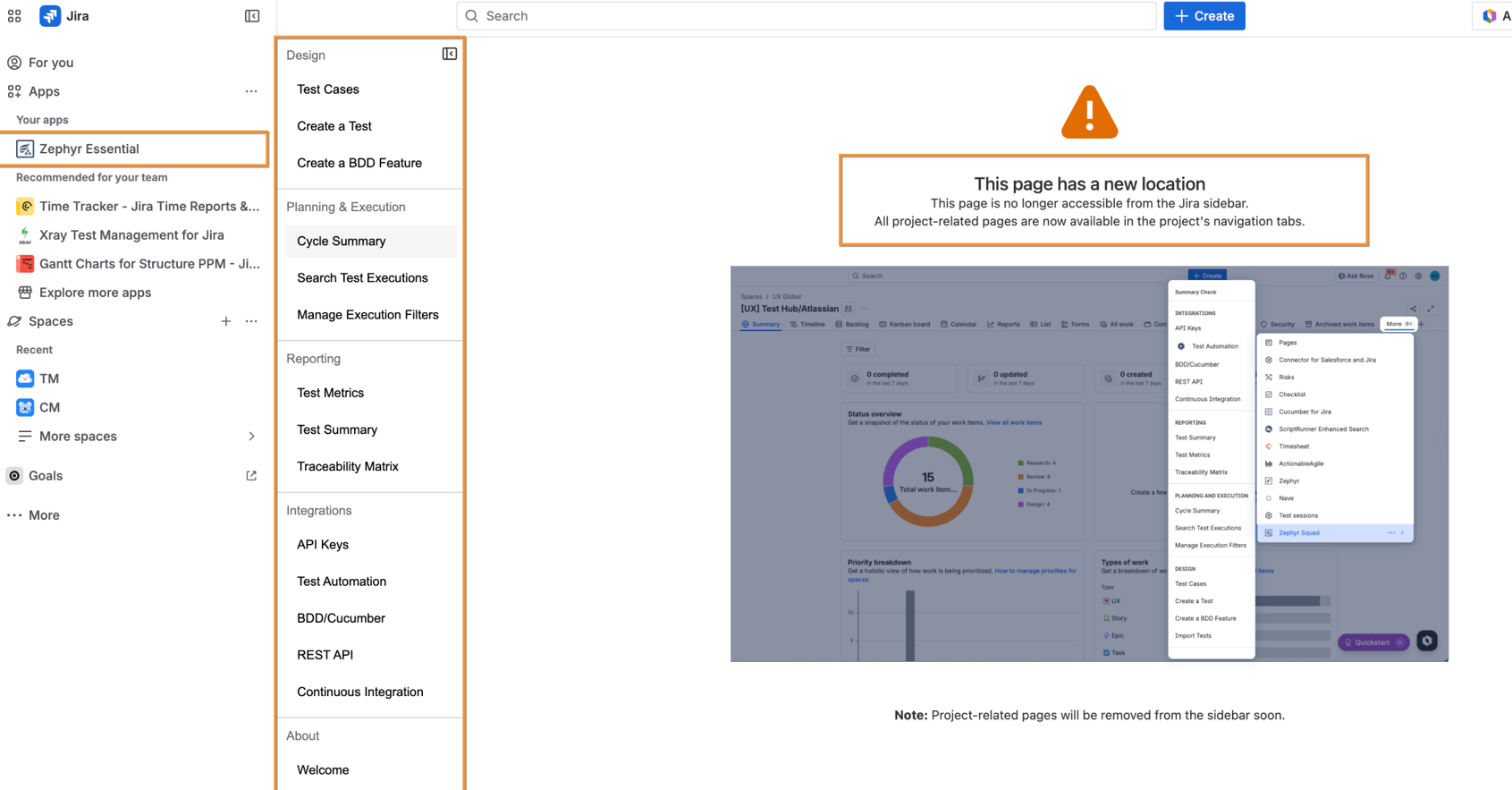
Zephyr Squad has been renamed Zephyr Essential across all Jira menu locations.
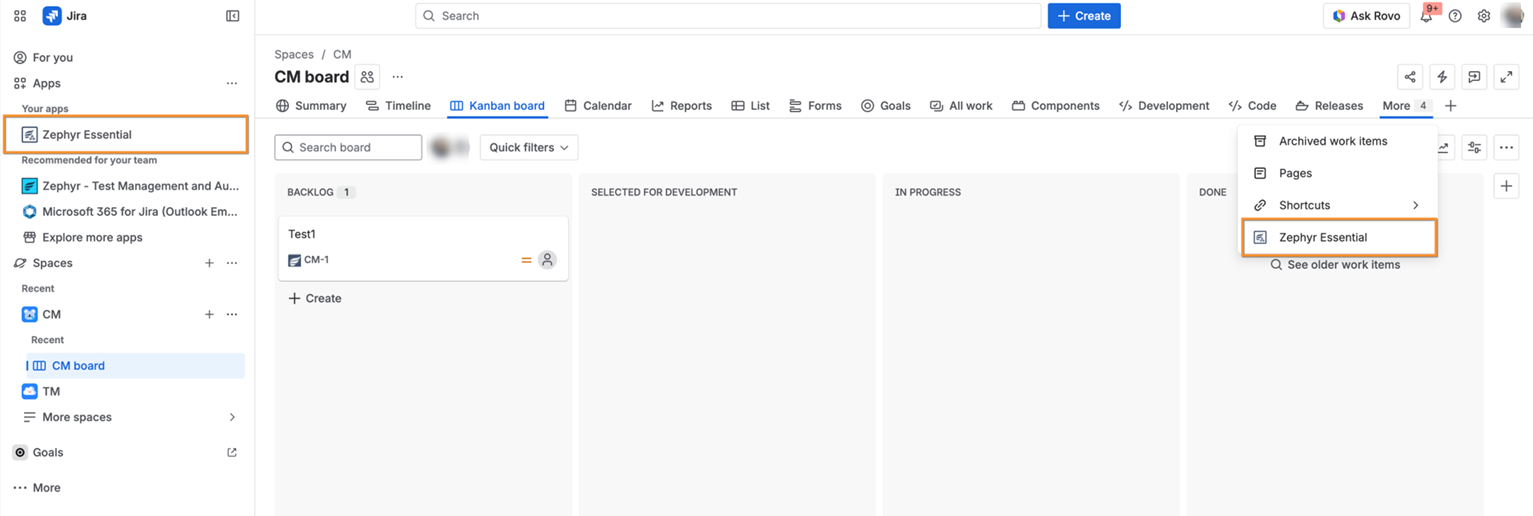
The Zephyr Squad menu is now located in the sidebar.
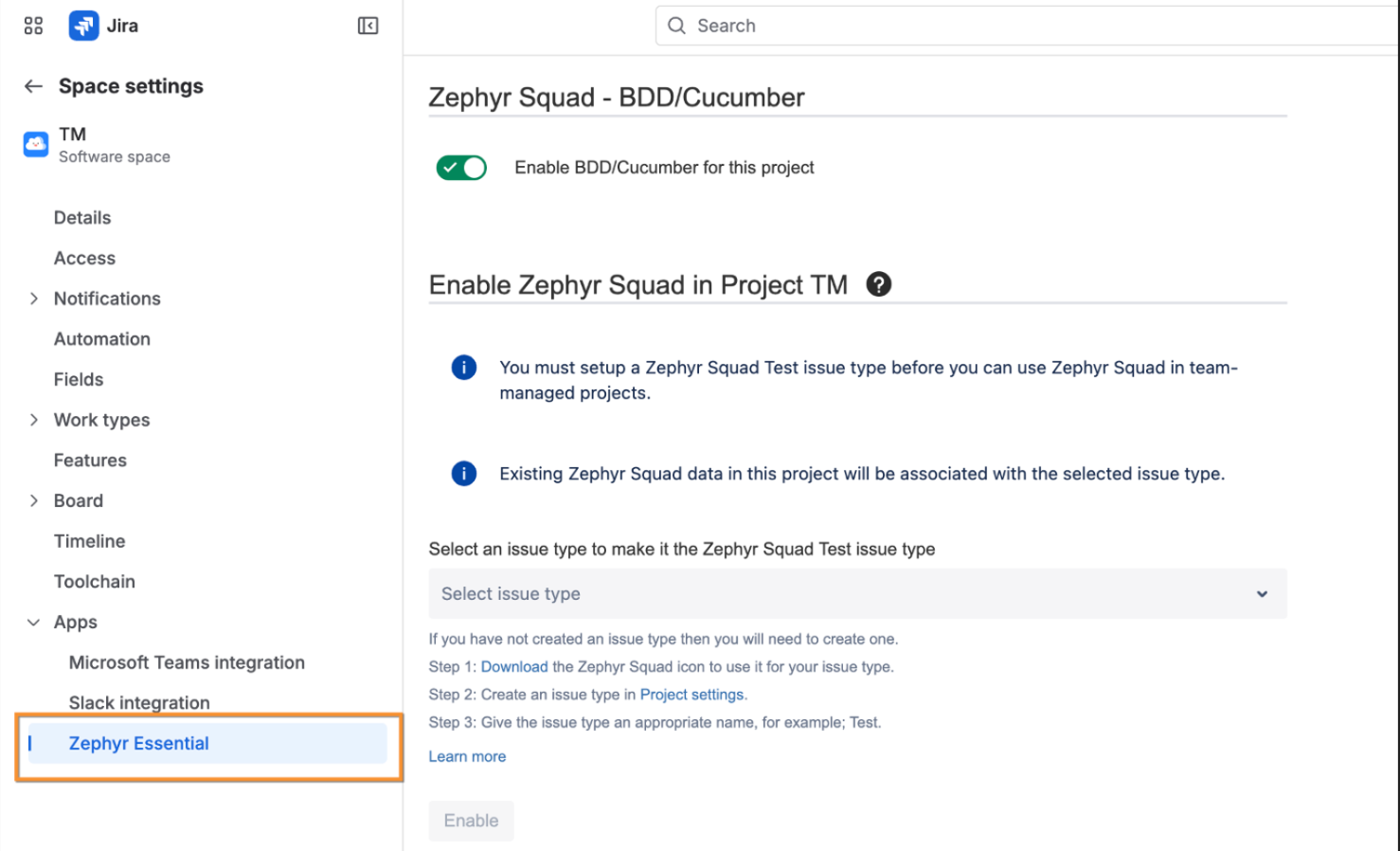
Space Settings are now accessible within the Zephyr Essential section.
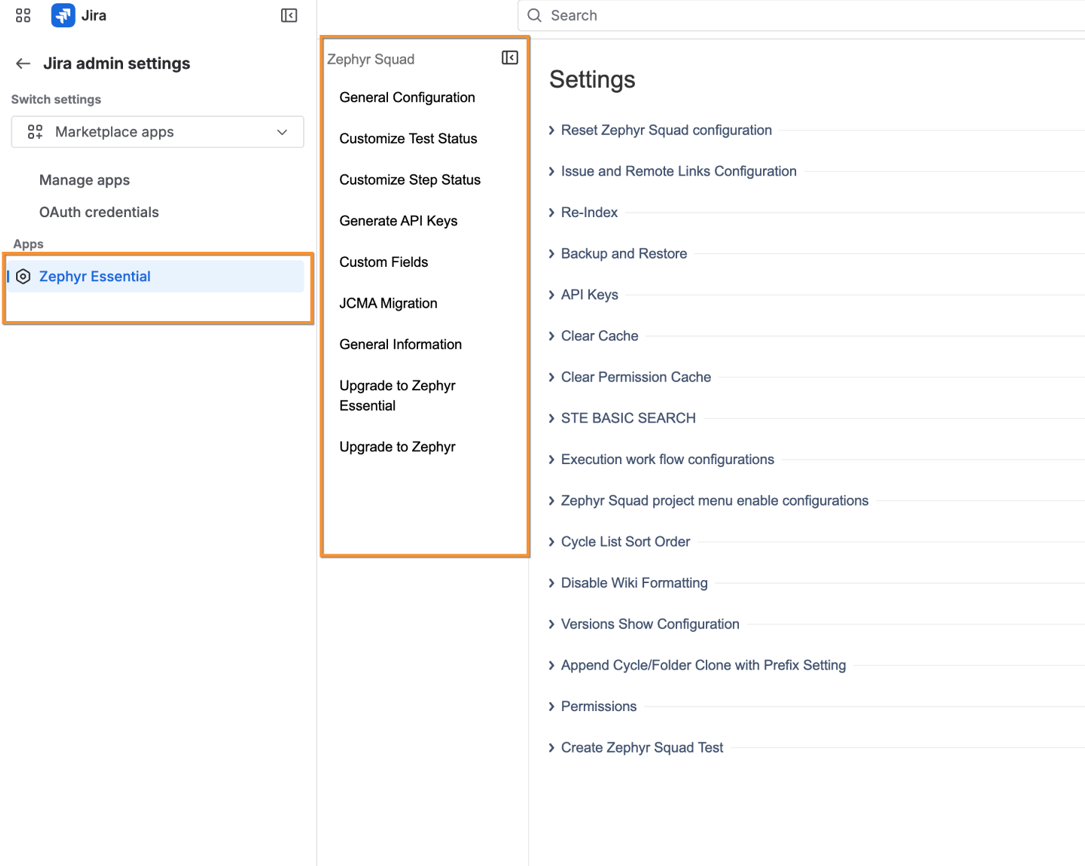
Admin Settings have been moved under Zephyr Essential, with options available in the sidebar.
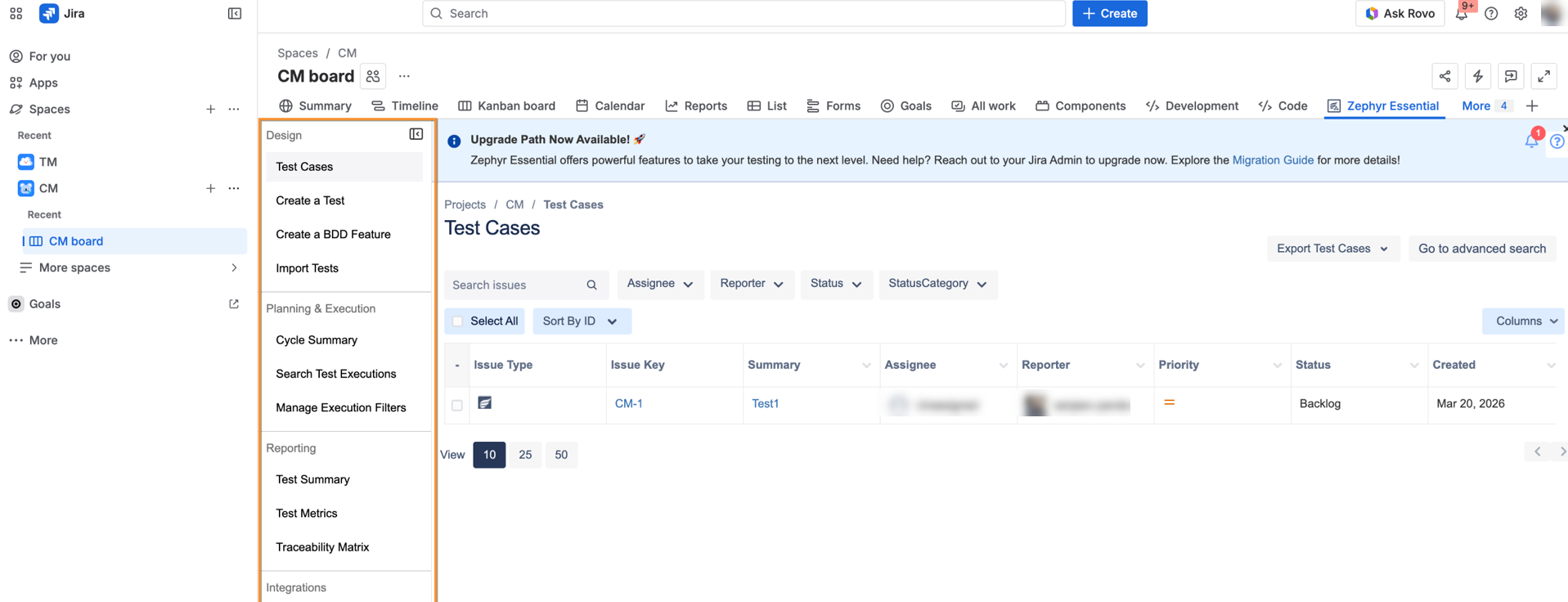
Global menu options can now be accessed from the space navigation bar.
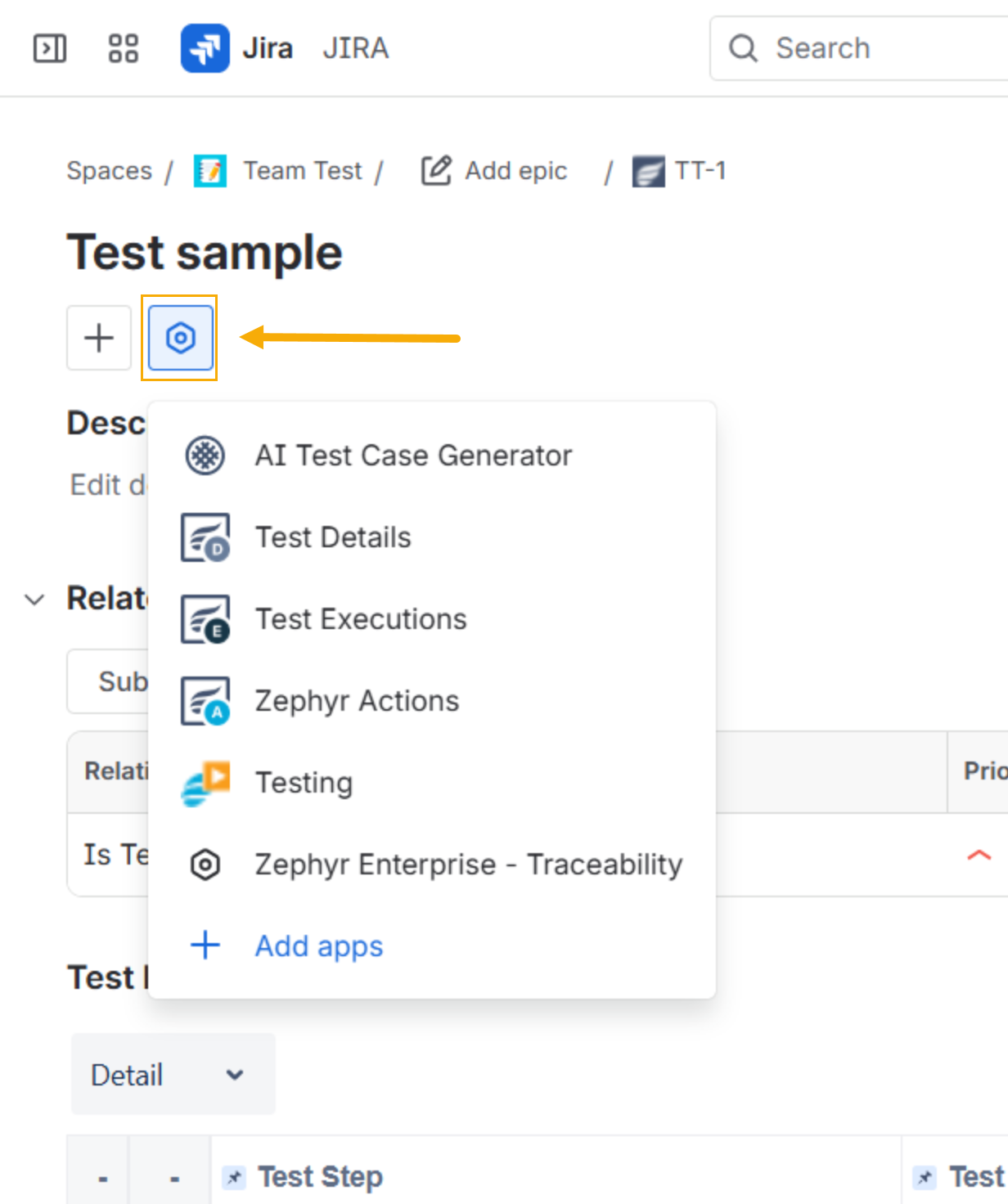
To access Test Details, Test Executions, and Zephyr Actions, you must now click the View app actions button on the issue view page.
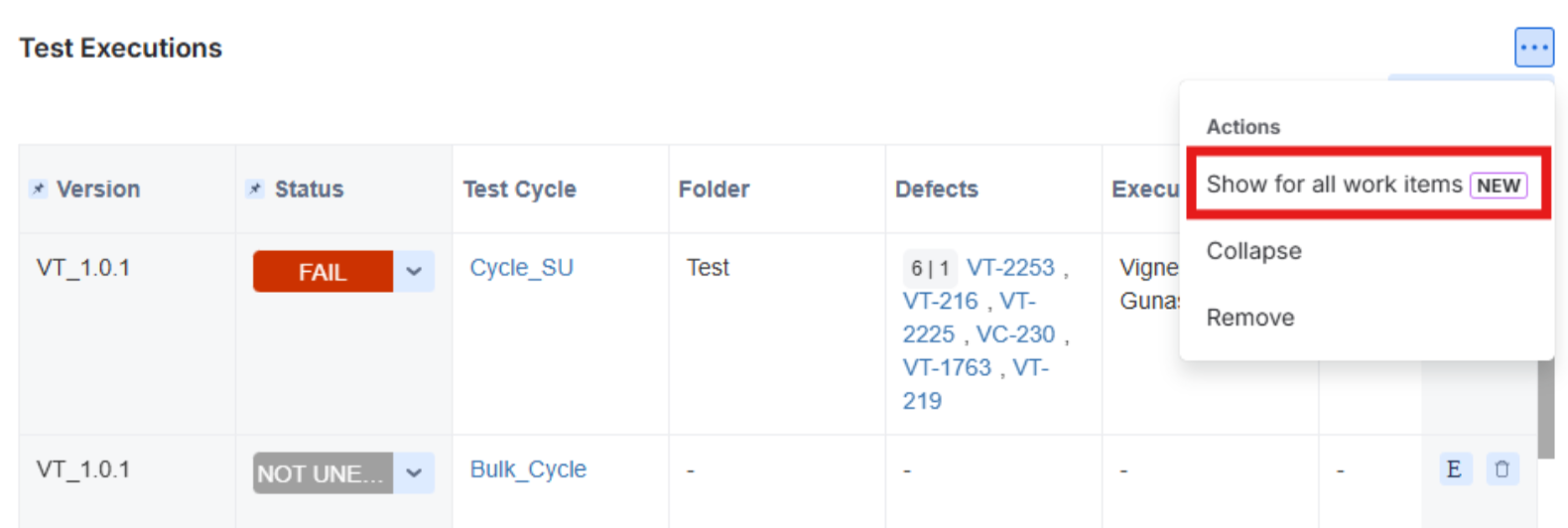
Due to Jira Forge limitations, these sections can no longer be displayed automatically and must be opened manually. The sections can be enabled for all work items from the given option, so you don't have to enable them for each work item every time.
Previously saved bookmarks are no longer valid. Update your bookmarks by saving the pages again.
In the Forge platform, Atlassian does not support the Full-Page for Create Issue Modal. Because of this limitation, the buttons for creating defects in Execution and Step results are unavailable. As a workaround, create a defect by selecting Create Issue on the top navigation bar, then link the defect from the Defects drop-down.